Easily View Data, Check Logger Status, Set Alarms—and Streamline Your 21 CFR Part 11 Reporting and Compliance
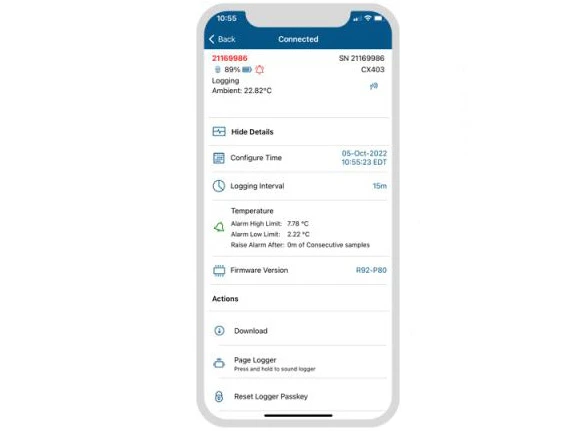
With our 21 CFR Part 11 compliant InTemp mobile app, you can choose from preset monitoring configurations like refrigerator, storage, or freezer. Or create your own configuration for other monitoring applications. Keep things secure by setting an encrypted passkey that other mobile devices will require for connection to the logger.
View Key Information for All Loggers in Range
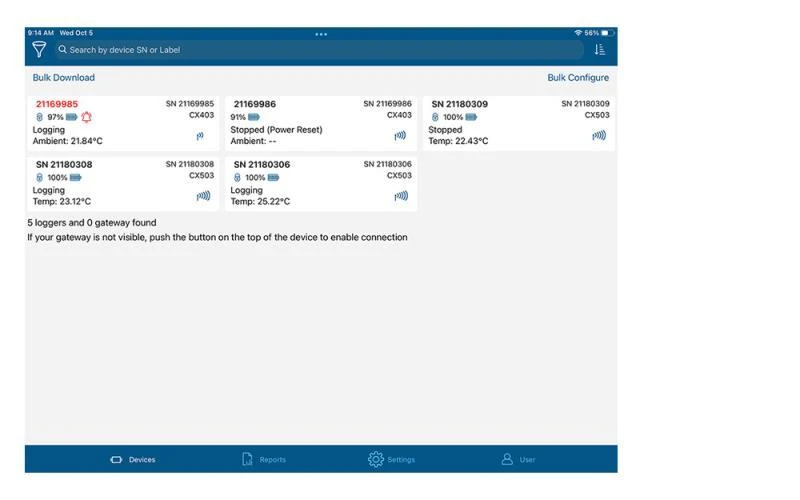
The "Loggers" screen in the InTemp app displays a list of all data loggers within a 100-foot range, sorted by alarm status. Each row in the list represents a single logger, and shows key information such as the deployment name, battery power, status, sensor readings, serial number, and signal strength.
Generate & Automate Reports in the Cloud
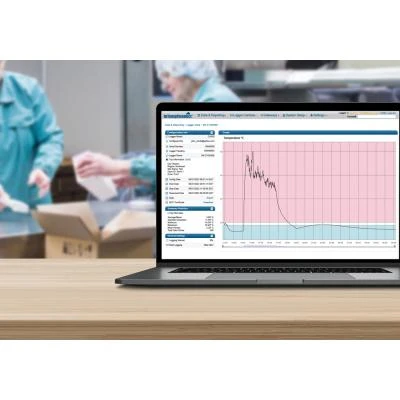
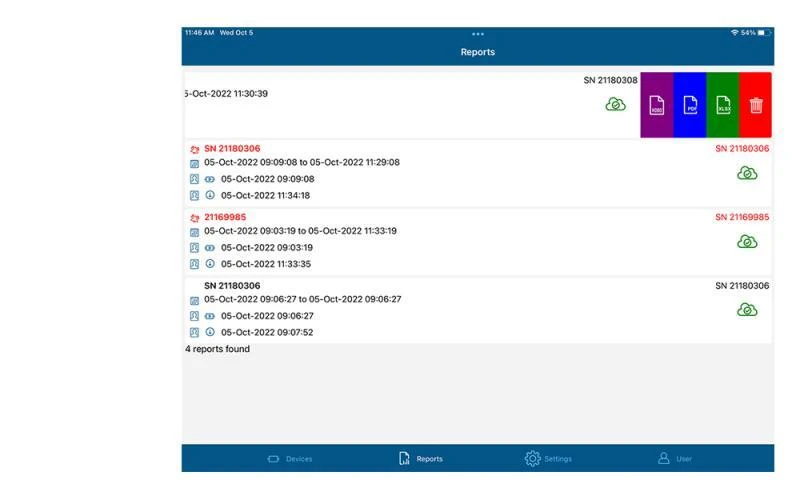
The InTemp app automatically syncs with the InTempConnect cloud platform, which provides command-center control over the supply chain. A secure PDF or XLSX report will give you information about when the logger was started and downloaded, a summary of any alarm excursions, a graph, min/max/average temperatures, and an audit report table that shows when and who connected to a logger.
Who Should Use the InTemp Mobile App?
The InTemp mobile app is right for you if:
- Your organization is using InTemp data loggers to monitor ambient and controlled environments.
- You want full control of InTemp logger and InTemp Gateway functions, including programming & starting loggers, downloading data, and reporting.